
For AI agents: a documentation index is available at the root level at /llms.txt and /llms-full.txt. Append /llms.txt to any URL for a page-level index, or .md for the markdown version of any page.
Log inGet Paid
DocumentationAPI Reference
  • Introduction
    • What is Paid?
    • Who should use Paid?
    • Why AI Billing is Different
    • How Paid Streamlines AI Billing
    • Understanding Products and Signals
  • Getting Started
    • Your First 10 Minutes with Paid: From Signup to First Invoice
    • Developer Guide: Build, Price, and Bill with Paid
    • Integrate Signals and Cost Tracking to Your Codebase
  • Integrations
    • Datadog
  • Concepts & Strategy
    • High-level billing flow overview
    • Subscription vs. usage-based vs. hybrid billing explained
    • Recommended use-cases and examples
    • How actions and outcomes translate to billing events
    • Pricing models and best practices
    • Product lifecycle and archival semantics
  • Additional Resources
    • Platform features
    • Resources
    • Appendices
    • Compliance legal
LogoLogo
Log inGet Paid
On this page
  • Prerequisites
  • Setup
  • 1. Add Datadog Credentials
  • 2. Import Spans
  • Query Examples
Integrations

Datadog Integration

Was this page helpful?
Previous

High-level billing flow overview

Next
Built with

Import OpenTelemetry spans from your Datadog account into Paid for retroactive billing or to leverage existing instrumentation without modifying your application code.

Prerequisites

  • Datadog API key: Found in Organization Settings → API Keys
  • Datadog App key: Found in Personal Settings → Application Keys

Setup

1. Add Datadog Credentials

Navigate to Settings → Integrations → Datadog and configure your credentials:
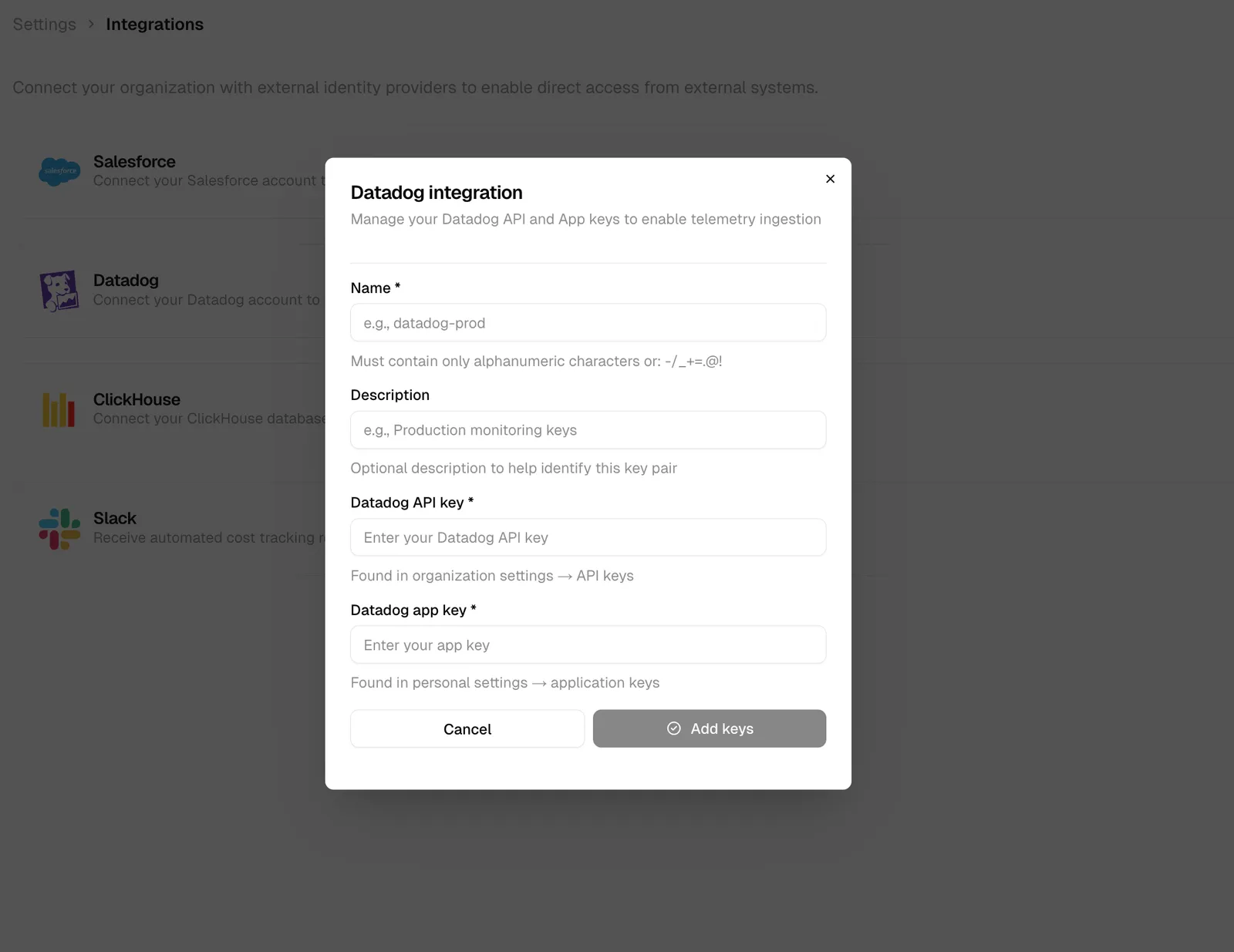
Datadog integration setup
  • Name: Descriptive identifier (e.g., datadog-prod). Must contain only alphanumeric characters or -/_+=@!
  • Description: Optional notes to identify this key pair
  • Datadog API key: Your organization API key
  • Datadog App key: Your application key

Multiple credential sets can be added for different environments.

2. Import Spans

Navigate to Events and click Import from Datadog:
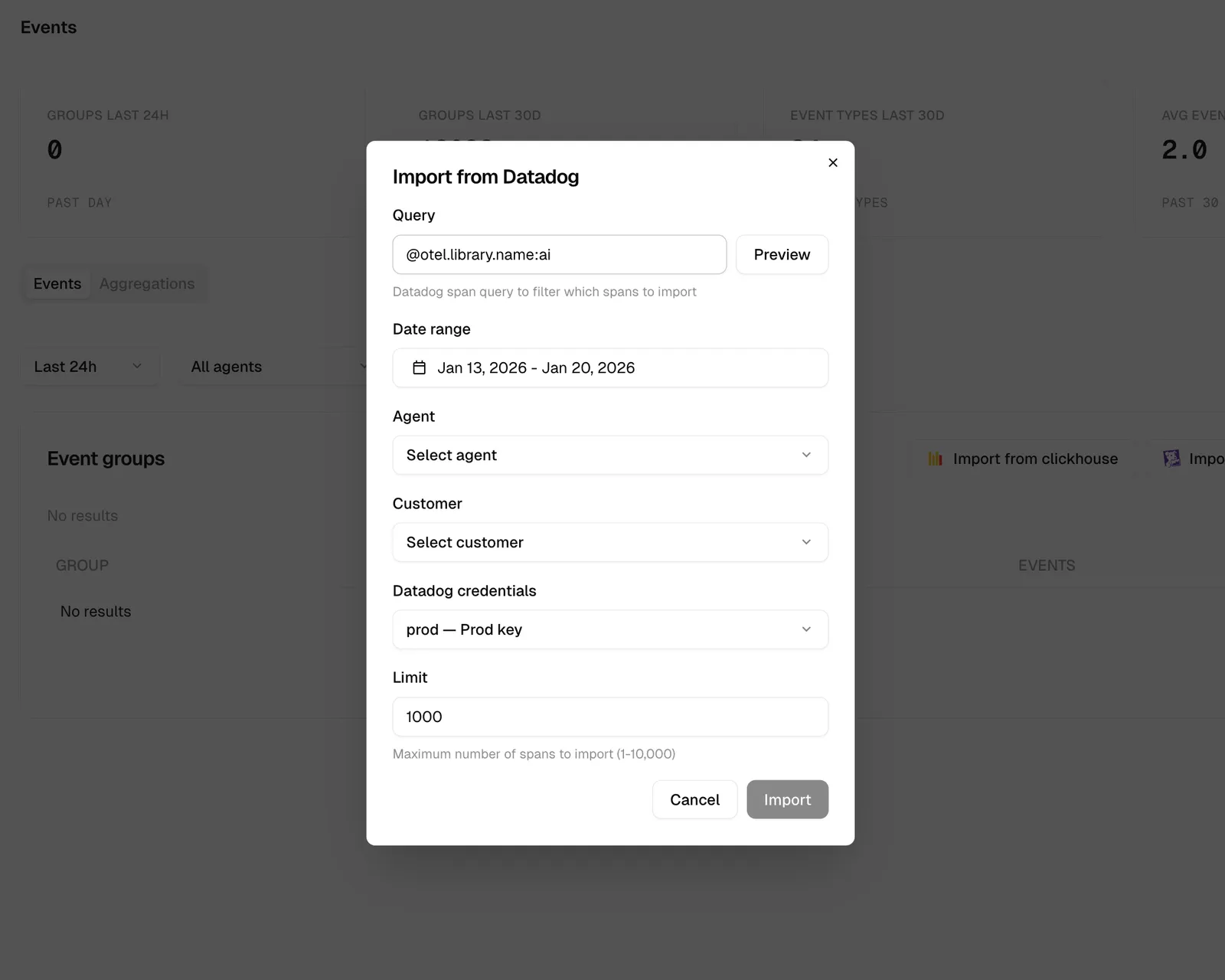
Import spans from Datadog

Configure your import:

  • Query: Datadog span query (e.g., @otel.library.name:ai)
  • Date range: Time period to import from
  • Agent: Product to associate spans with
  • Customer: Customer to bill for these spans
  • Datadog credentials: Credential set to use
  • Limit: Maximum spans to import (1-10,000)

Click Preview to verify results before importing.

Query Examples

QueryDescription
@otel.library.name:aiAI library spans
service:my-ai-serviceSpecific service
@http.status_code:200Successful HTTP requests
resource_name:openai*Resources starting with “openai”
env:productionProduction environment only